We use an online service called Register with a GP surgery that makes it easy to register with us.
Just fill in this quick online form to start the process. You do not need proof of address or immigration status, ID or an NHS number.
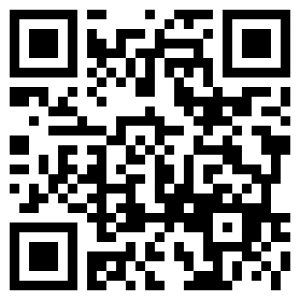
The service is designed and run by the NHS, so your personal information is safe. It cuts our administrative workload and makes it easier for you to register.
Paper forms are still available if you need one.
The service is designed and run by the NHS. It aims to cut practices’ workloads and make GP registration easier for the public.
Please ask at reception if you would like to check whether you live within the catchment area. In deciding whether or not to accept a patient, the practice will not discriminate on grounds of disability or medical condition, age, appearance, race, gender, social class, religion or sexual orientation. If an application is refused the applicant will be given the reason for refusal in writing.
You can either register online using the link above or come into the practice.
To help aid us in the registration process when attending the practice or completing the online registration form we ask that, if you can, please bring with you or send via email to nelondonicb.leytonhealthcarepatients@nhs.net:
- One photographic ID (passport, driving licence etc.)
- One proof of residency, this can be any of the following: bank statement, utility bill (gas, electricity or water) council tax bill or land line telephone bills. These must be dated within the last three months.
- For children under 16 please provide a copy of their Red Book/immunisation details.
Bringing or sending proof of address and ID when you register will help us match up your medical records and will make for a smoother registration process.
If you have NHS number please provide this so we can easily locate your record. If you do not know your NHS number click here to find it.
Please note: We are open till late Monday – Friday until 18:00 for patients that cannot attend during the day to register. Late appointments are also available for new patient health check appointments.
Please note that in some circumstances other documents may be required. Further information can be provided by our reception staff.